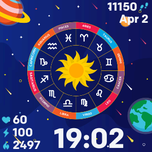
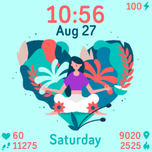
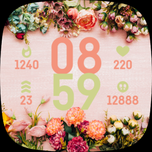
Fitbit watch face
SnowMan
Unlock this clock face for just a one time payment of 1$ via k-pay. ❗❗ Mega Offer - You can get this for FREE with a BUNDLE, tap here -> 🎁🎁 http://bit.ly/2mS8w9R 🎁🎁 ❗❗ ❗❗ Enjoy other awesome clock faces, tap here -> https://gallery.fitbit.com/search?terms=TopClockFaces ❗❗ ⭐⭐⭐⭐⭐ Please rate us if you enjoy it! ✅12h and 24h format support ✅Easy to install ✅Small file size ✅Battery efficient ✅Fast Support This clock face requires a one time purchase of 1 USD How to install: 1.) Tap select to install. 2.) Follow the link to purchase the clockface for only $1 and type in the code that appears on your watch. Purchase link: https://kiezelpay.com/code/ Already bought it? Go here: https://kiezelpay.com/unlock Designed by pikisuperstar / Freepik # black, white, flower, flowers, elegant, romantic, floral, watercolor, rose, roses, iris, orchid, anemon, violet, sunflower, orchid, gerbera, daisy, lilie, tulip, love, heart, floral, leaf, circle, cute, black, leaves, forest, romantic, valentines day, valentine's day, heart, love, winter, Jolly, Snow Man, Frozen, Cold, Freezing, Christmas Tree, Santa Klaus, Dear Horns, Red Shoes, Red Suit, Christmas Sleigh, Chimney, Elf, Toys, Kids, Happy Children, Gifts, Christmas Morning, Winter Chill, Snow Globes, Snow Stars. Snow Angels, Snow Balls, Play, Hot Drinks,Ginger Bread Man, Sweets, Candy, xmas
Compatibility and pricing are available in the official store.
How to install
- Open Google Health (formerly Fitbit), tap Connections, select your Fitbit and open Watch faces.
- Browse the Clocks tab. Select a compatible clock that is still available for installation, review permissions and let it sync to the watch.
Google has announced that new installs and updates for third-party Fitbit clock faces end on November 28, 2026. Faces you already installed can keep working, but you cannot reinstall them after deleting them or factory-resetting the watch.