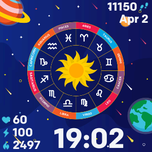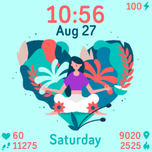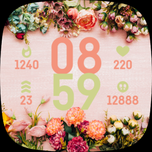
Fitbit watch face
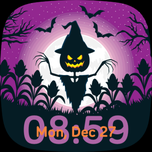
Halloween scarecrow
Elevate Your Time in Style! ⌚✨ Get ready for the ultimate watch face that has it all: ✅ Hour & Minutes: Keep track of time with precision. ✅ Day & Month: Stay organized and never miss an important date. ✅ Easy Installation: Hassle-free setup in seconds. ✅ Indicators for Your Vital Stats: Keep an eye on your health and progress with real-time indicators for steps, heart rate, battery, weather, stairs, and calories burned. ✅ Compact File Size: Save space on your device. ✅ Battery Efficiency: Enjoy long-lasting performance. ✅ Swift Support: We've got your back! All this and more for just a one-time purchase of $1! 💸 Installation Made Easy: Tap "Select" to install. Purchase the incredible watch face for only $1 by clicking https://kiezelpay.com/shop/ . Enter the code displayed on your watch during the purchase. Already a proud owner? Click https://kiezelpay.com/shop/already-purchased to unlock additional features! Image by Freepik Don't miss out on the chance to elevate your wrist game! 🐶🐾 ⭐⭐⭐⭐⭐ If you love it, please show your support by leaving a rating! Your satisfaction is our motivation! ⭐⭐⭐⭐⭐ #horror, night, halloween, halloween's day, bat, bats, pumpkin king, pumpkins, skull
Compatibility and pricing are available in the official store.
How to install
- Open Google Health (formerly Fitbit), tap Connections, select your Fitbit and open Watch faces.
- Browse the Clocks tab. Select a compatible clock that is still available for installation, review permissions and let it sync to the watch.
Google has announced that new installs and updates for third-party Fitbit clock faces end on November 28, 2026. Faces you already installed can keep working, but you cannot reinstall them after deleting them or factory-resetting the watch.