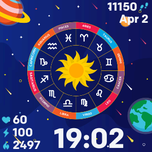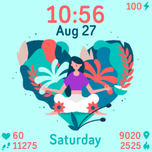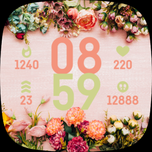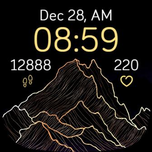
Fitbit watch face
Golden Mountain
❗ Dive into the TimeFaces bundle now and enjoy exclusive discounts, tap here: https://kiezelpay.com/shop/options?s=467C863E-0C05-5C27-8A6F-56B361C59512&dsu=379817&platform=fitbit ❗ Enjoy other awesome clock faces, tap here : https://gallery.fitbit.com/search?terms=TopClockFaces This watchface is a one-time payment for a lifetime license. If you have already paid and a message appears on your dial asking you to pay again, go to the following page and enter the email address you used to pay and your code on the dial. You will be able to unlock your watchface again at no additional charge. https://kiezelpay.com/shop/already-purchased The price for a lifetime license of the watchface is 1 USD, plus taxes depending on your country. Payments are accepted via PayPal, credit card, and Apple Pay, but non-PayPal payments will incur fees. You can make your payment using your unique code and the URL that will appear on the watchface 3 days after it is activated. After these appear, visit the URL (https://www.kzl.io/) using a browser such as Chrome or Safari, enter your unique code and email address, and follow the instructions displayed on the browser to complete the payment. If you have any problems with the payment, please contact KiezelPay, the developer of the payment system, or their FAQ may be helpful. Email: [email protected] FAQ: https://kiezelpay.com/faq/ Watch Face Features: Image by Freepik tags # Mountain, Mountains, Adventure, Climing, Winter, Tree, Trees, Forest, Gold, Golden, Elegant
Compatibility and pricing are available in the official store.
Key features
- ** NOTICE ***
- ** ABOUT PAYMENT ***
- Daily Steps
- Heart rate
- Time
- Date
- update v 1.1 - adding support for more devices
How to install
- Open Google Health (formerly Fitbit), tap Connections, select your Fitbit and open Watch faces.
- Browse the Clocks tab. Select a compatible clock that is still available for installation, review permissions and let it sync to the watch.
Google has announced that new installs and updates for third-party Fitbit clock faces end on November 28, 2026. Faces you already installed can keep working, but you cannot reinstall them after deleting them or factory-resetting the watch.